

What Is Text Customization Printing? A Practical Guide
Text customization printing is the process of applying personalized text, fonts, and layouts directly onto physical products using digital design tools and specialized printing methods. It covers everything from a name on a tumbler to a company slogan on a hoodie. Whether you are personalizing a gift or building a brand, understanding your text printing options determines the quality of the final product.
What is text customization printing and how does it work?
Text customization printing is defined as the controlled reproduction of user-specified text onto a physical substrate using a chosen printing method, font, size, and placement. The industry term for this broader practice is variable data printing when applied at scale, though most small businesses and individuals encounter it simply as custom text printing. The two concepts overlap heavily, and knowing both terms helps you communicate clearly with print vendors.
The process starts with a digital design file. You choose your text, select a font, set the size, and position the element on the product. That file then feeds into a printing system, whether that is a direct-to-film (DTF) printer, a sublimation press, a laser engraver, or a screen-printing setup. Each method handles text differently, and the right choice depends on your material, quantity, and durability needs.

Personalized home décor like canvas prints use font style selection, text depth, and placement in an online design studio. That workflow is the same one businesses use for branded apparel, just at a different scale. The core principle does not change: text is a graphic asset, and it must be treated as one from the moment a customer types it in.
What are the main text printing methods used in customization?
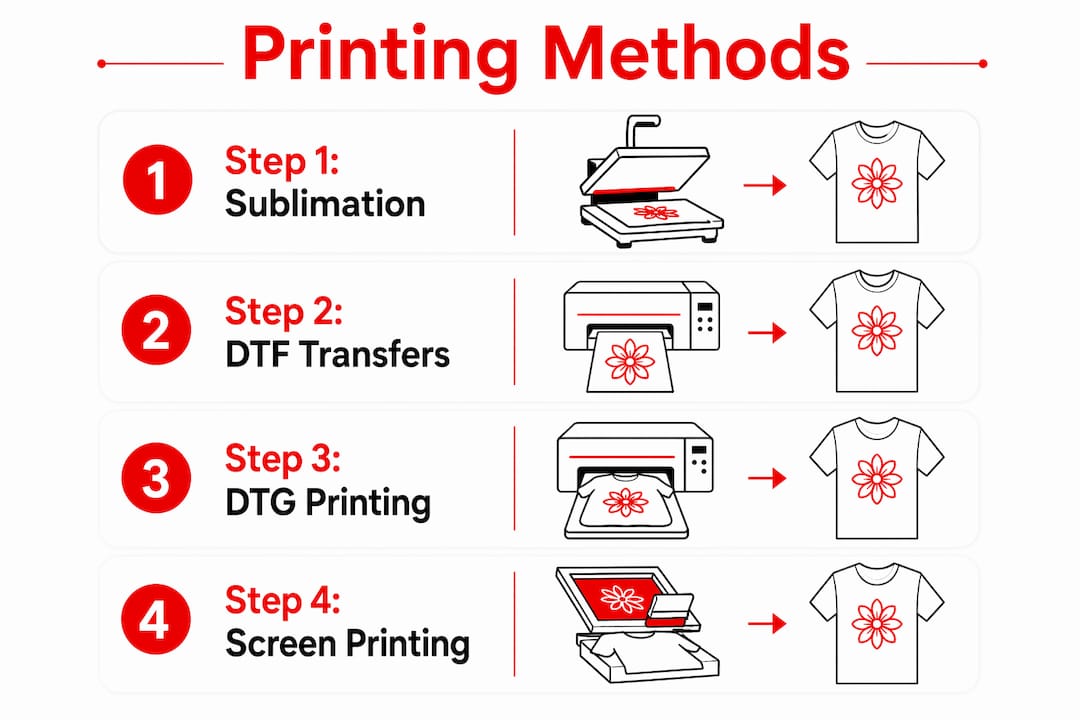
Four methods dominate custom text printing in 2026: sublimation, DTF transfers, direct-to-garment (DTG), and screen printing. Each has a clear use case.
Sublimation printing
Sublimation printing uses heat and pressure to lock ink directly into fibers or coated surfaces. The result is a scratch-resistant, washable print with vivid, even colors and a matte finish. It works best on polyester fabrics and polymer-coated hard goods like tumblers and phone cases. Text printed via sublimation does not sit on top of the surface. It becomes part of it, which is why the color holds through repeated washing.
DTF transfers
Direct-to-film (DTF) printing deposits ink onto a film sheet, which is then heat-pressed onto fabric. DTF transfers work on cotton, polyester, and blended fabrics without requiring a coating. This makes DTF the most flexible option for apparel text customization. The text edges are sharp, and the process handles fine fonts and small lettering better than screen printing at low quantities.
DTG and screen printing
Direct-to-garment printing jets ink directly onto fabric, similar to how a desktop printer works on paper. It handles full-color designs well but can struggle with very small text on dark garments. Screen printing uses stencils and ink layers. It produces bold, durable text at high volume but becomes expensive for short runs or designs with many colors.
3D printed text
3D printed text is a separate category used for signage, decor, and product labels. A minimum text thickness of 1–2mm is recommended for structural integrity. Design software tools that handle bridging prevent breakage during printing. This method suits physical dimensional lettering rather than fabric or paper applications.
Pro Tip: For apparel with small text under half an inch tall, DTF transfers consistently outperform screen printing and DTG in edge sharpness. Choose DTF when legibility matters at small sizes.
| Method | Best for | Durability | Minimum quantity |
|---|---|---|---|
| Sublimation | Polyester, hard goods | Very high | 1 |
| DTF transfers | All fabric types | High | 1 |
| DTG | Cotton, full-color | Medium | 1 |
| Screen printing | High-volume, bold text | Very high | 12+ |
| 3D printing | Signage, decor | High | 1 |
How to set up custom text input for products
Setting up text customization on a product page requires more planning than most sellers expect. The technical decisions you make upfront directly affect print quality and customer satisfaction.
-
Set a character limit. A common character limit is 120 characters for custom text fields. Short text inputs work for names and short phrases. Long text inputs suit dedications or multi-line messages. Matching the input type to the product prevents customers from submitting text that cannot physically fit on the item.
-
Offer font selection. Give customers two to five font choices rather than an open-ended selector. Too many options create decision fatigue and increase the chance of a customer choosing a font that prints poorly at small sizes. Limit choices to fonts you have already tested in production.
-
Choose a pricing model. Text customization pricing follows three common structures: a flat fee per customized item, a per-word charge, or a per-character charge. Flat fees are easiest for customers to understand. Per-character pricing works well when text length varies significantly across orders.
-
Build a preview tool. A live preview shows customers roughly how their text will look on the product. However, live-previewed custom text on websites often differs from the final physical print. Manual adjustments to kerning and font weight are necessary for professional quality. Never rely on the preview alone as a quality check.
-
Add a staff review step. After a customer submits an order, a trained team member should review the print-ready file before production begins. This catches spacing errors, odd character combinations, and font rendering issues that automated systems miss.
Pro Tip: Save every approved print file as a PDF before sending it to production. PDF as a fallback format secures document integrity across different printing hardware and software, preventing unexpected layout shifts.
What design considerations are essential for high-quality text printing?
Text quality in printing lives or dies on file preparation. Most blurry or pixelated results come from skipping basic design steps, not from equipment failure.
Vector vs. raster formats. Vector files (AI, EPS, SVG) store text as mathematical paths. They scale to any size without losing sharpness. Raster files (JPEG, PNG) store text as pixels. Enlarging a raster file beyond its native resolution creates blur. For any text that will be printed larger than the original design size, vector is the correct format.
Resolution and safe margins. Raster files used for printing need a minimum of 300 DPI at the final print size. Safe margins, sometimes called padding, keep text away from the edge of the print area. This prevents text from being cut off during trimming or lost in a seam. A safe margin of at least 0.25 inches on all sides is standard practice for apparel.
Kerning and font weight. Kerning is the spacing between individual letter pairs. Poor kerning makes words look uneven and unprofessional. Heavier font weights (bold, semi-bold) hold up better in heat transfer applications because thin strokes can break down under heat and pressure. Avoid ultra-thin or script fonts at small sizes unless you have tested them in production.
Converting text to a graphic asset. Text must be treated as a graphical asset, not plain text, when preparing files for printing. Converting text to outlines in design software like Adobe Illustrator or Affinity Designer locks the letterforms so they cannot shift if the printer’s system lacks the same font. Tools like ImageMagick handle this conversion for batch processing.
- Use vector formats for all scalable text elements
- Set raster files to 300 DPI at final print size
- Maintain 0.25-inch safe margins around text
- Convert text to outlines before sending files to production
- Test bold and semi-bold weights at small sizes before approving a font
Pro Tip: Always prep your artwork file with outlines and embedded fonts before submitting to any print shop. This single step eliminates the most common cause of production delays.
What are the practical applications and benefits of text customization printing?
The benefits of text customization extend well beyond novelty gifts. Businesses and individuals use custom text printing across a wide range of products and purposes.
Personalized gifts and home décor. Custom tumblers with engraved names, canvas prints with family quotes, and personalized hoodies are among the most popular gift categories. Canvas print sizes range from 11.8 x 11.8 inches up to 59 x 79 inches, with frame thicknesses from 1.7 to 2 inches for stability. That size range means a single text customization workflow can produce everything from a desk accent to a statement wall piece.
Marketing and branded materials. Businesses use custom text printing on apparel, tote bags, signage, and promotional products to reinforce brand recognition. A staff shirt with a company name and tagline functions as a walking advertisement. Branded merchandise also builds team identity, which matters for schools, sports teams, and nonprofits.
Product labeling and organization. Warehouses, offices, and retail stores use custom printed labels and signage to organize inventory and direct customers. The same DTF and sublimation techniques used for apparel apply to labels, patches, and organizational tags.
Value-added e-commerce. Offering text customization as an add-on service increases average order value. Customers pay more for a product that feels made specifically for them. For small businesses, this is one of the most direct ways to compete with mass-market retailers on something price alone cannot replicate.
- Personalized tumblers and drinkware for gifts and events
- Custom apparel for teams, businesses, and fundraisers
- Canvas prints and wall décor with personal quotes
- Branded promotional products for marketing campaigns
- Organizational labels and signage for businesses
Key Takeaways
Text customization printing produces professional results only when file preparation, method selection, and quality review all work together from the start.
| Point | Details |
|---|---|
| Method determines material | Match your printing method to the substrate: DTF for fabric, sublimation for coated hard goods, 3D printing for dimensional signage. |
| File format is non-negotiable | Use vector files or 300 DPI raster files; convert text to outlines before submitting to production. |
| Character limits protect quality | Set a 120-character limit on text input fields to prevent customers from submitting text that cannot fit the product. |
| Staff review catches errors | A human review of print-ready files after customer submission prevents spacing, font, and rendering errors from reaching production. |
| Pricing model affects conversion | Flat-fee pricing converts better for most customers; per-character pricing suits products where text length varies widely. |
What I have learned from years of custom text printing
The biggest mistake I see from new customers and first-time sellers is treating text as an afterthought. They spend hours choosing colors and graphics, then type a name into a text box at the last minute and expect it to print perfectly. It almost never does.
Text is a graphic asset. That is not a technical opinion. It is a production reality. A font that looks clean on a screen at 72 DPI can fall apart completely when heat-pressed onto a hoodie at 300 DPI. Thin strokes disappear. Tight letter spacing closes up. Script fonts become illegible below a certain size. I have seen orders come through where the customer’s chosen font was so thin that the letters barely survived the transfer process.
The fix is not complicated, but it requires discipline. Test every font you offer in production before you list it as an option. Review every file before it goes to press. Use vector formats by default. These steps add a few minutes to each order, but they eliminate the reprints, refunds, and frustrated customers that cost far more in the long run.
One trend worth watching in 2026 is the growth of dimensional text, specifically 3D printed lettering for signage and product branding. The technology has matured to the point where a small shop can produce professional-grade dimensional text without industrial equipment. The design rules are different from flat printing, but the core principle is the same: treat text as a graphic, plan for the physical constraints of your method, and review before you produce.
— Aaron
Bring your text customization ideas to life with Handmadeohiocrafts
Handmadeohiocrafts produces custom printed and engraved products entirely in-house from Waverly, Ohio. Every order goes through a staff review before production, so the text on your product looks exactly as intended.
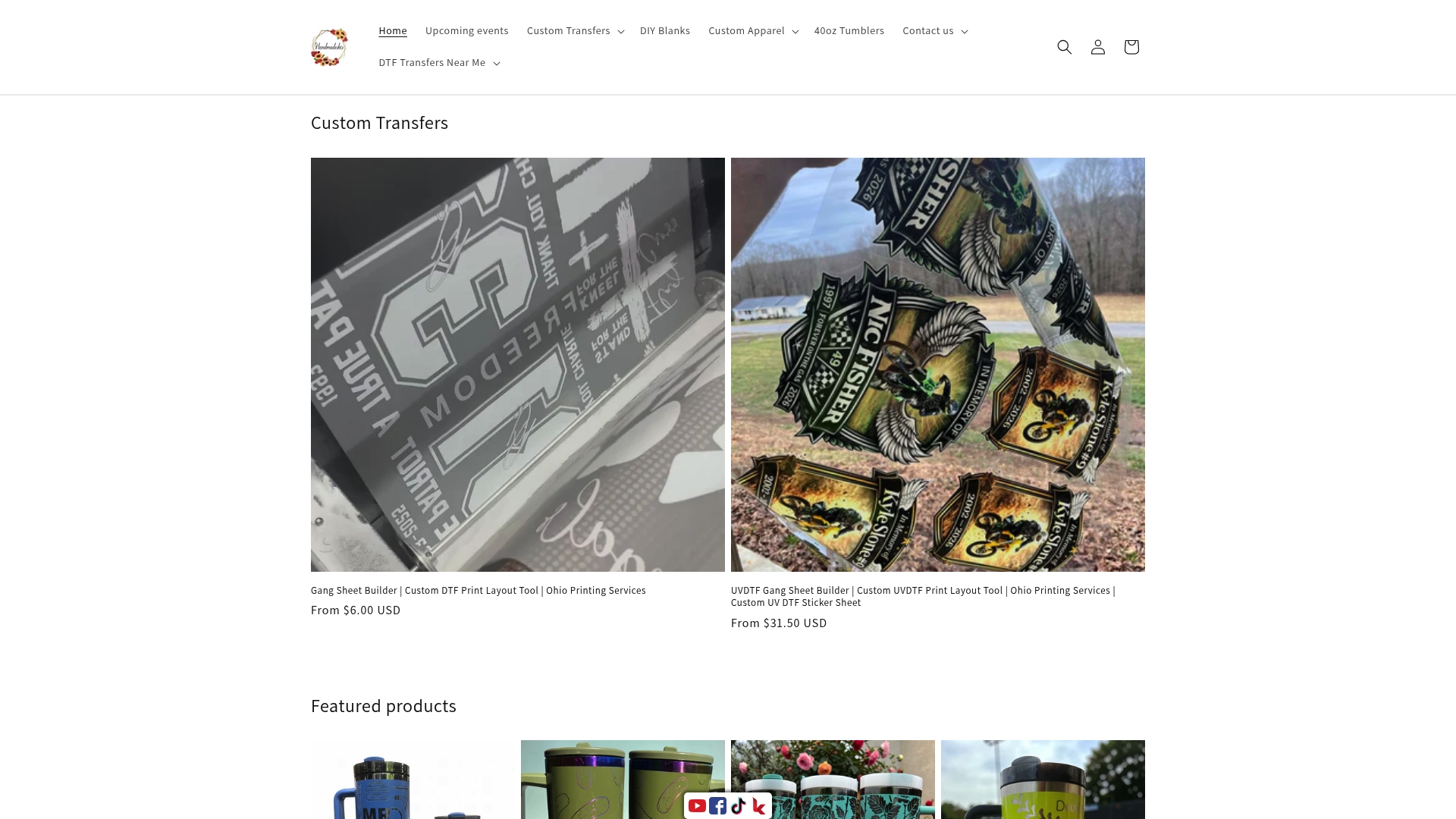
From custom apparel with DTF-printed names and slogans to custom tumblers with laser-engraved or sublimated text, Handmadeohiocrafts covers the full range of text customization printing techniques. There are no minimum order requirements, and nationwide shipping means your personalized products arrive wherever you need them. Whether you are ordering one gift or outfitting an entire team, Handmadeohiocrafts delivers production-quality results on every order.
FAQ
What is text customization printing used for?
Text customization printing is used to add personalized names, phrases, and branding to products like apparel, tumblers, canvas prints, and signage. Businesses use it for branded merchandise; individuals use it for personalized gifts and décor.
Which printing method is best for custom text on fabric?
DTF (direct-to-film) transfers produce the sharpest text on fabric, especially for small lettering, and work on cotton, polyester, and blended materials without requiring a special coating.
How do I avoid blurry text in custom printing?
Use vector files or raster files set to 300 DPI at the final print size, and convert all text to outlines before submitting your file to a print shop. Low-resolution files are the leading cause of blurry printed text.
What character limit should I set for custom text orders?
A 120-character limit is a common standard for custom text input fields in e-commerce. This prevents customers from submitting text that exceeds the physical space available on the product.
Does the font I choose affect print quality?
Yes. Thin or ultra-light font weights can break down under heat and pressure in transfer printing. Bold and semi-bold weights hold their form better, and all fonts should be tested in production before being offered as customer options.