

What Does Full Color Printing Mean for Your Projects?
Full color printing is defined as the process of reproducing images using four inks: cyan, magenta, yellow, and black. The industry term for this method is CMYK printing, named after those four ink colors. Understanding what full color printing means gives you a real advantage when ordering custom apparel, marketing materials, or personalized gifts. The CMYK process uses subtractive color mixing to build every color you see on a printed piece. Converting your digital files from RGB to CMYK before printing is the single most important step to getting accurate colors on paper or fabric.
What does full color printing mean, exactly?
Full color printing, or CMYK printing, means your design is reproduced by layering four transparent inks on top of each other. Each ink absorbs certain wavelengths of light: cyan absorbs red, magenta absorbs green, yellow absorbs blue, and black adds depth and contrast. The combination of these four layers creates the full range of colors your eye perceives in the final print. This is called the subtractive color model because each ink subtracts light rather than adding it, which is the opposite of how your screen works.
The “K” in CMYK stands for “key,” referring to black ink. Black ink improves depth and sharpness in shadows and text far better than mixing cyan, magenta, and yellow alone. It also reduces total ink consumption, which matters for production costs. Without black ink, dark areas would look muddy and text would appear soft.
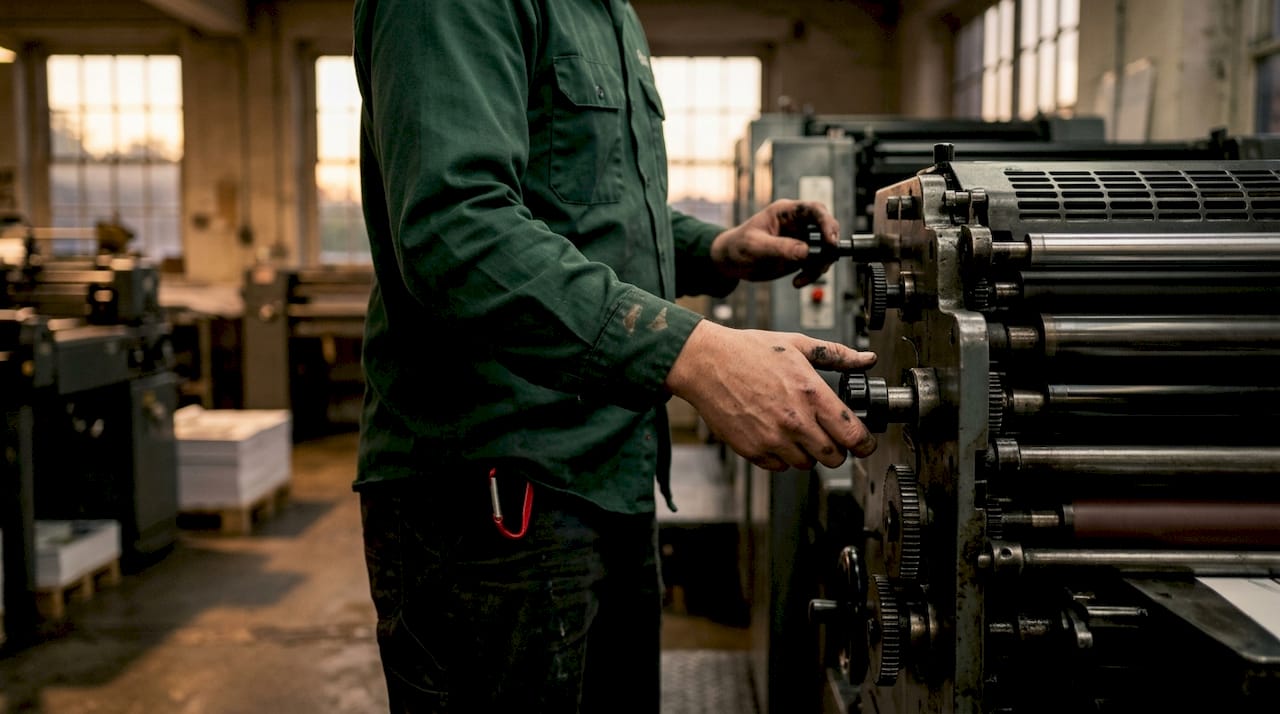
How does full color printing work?
The CMYK process relies on a technique called halftoning. Halftoning breaks images into microscopic dots of varying sizes and spacing to simulate continuous tones. A lighter shade of magenta, for example, uses smaller, more spread-out dots rather than a diluted ink. Your eye blends these dots together at normal viewing distance, creating the illusion of smooth gradients and photographic detail.
Here is how the four-color process works step by step:
- Color separation: Your artwork file is separated into four individual layers, one for each CMYK ink.
- Plate creation: Each layer is transferred to a printing plate, so four plates are made per job.
- Ink layering: Each plate prints one ink layer in sequence, with transparent inks blending visually on the substrate.
- Registration: All four plates must align precisely so colors overlap correctly and edges stay sharp.
- Final output: The layered inks produce the full color image you designed.
The difference between CMYK and RGB is worth understanding clearly. RGB is an additive model used by screens: red, green, and blue light combine to create colors, and mixing all three at full intensity produces white. CMYK is subtractive: inks absorb light, and mixing all four at full intensity produces near-black. Designing in RGB and printing in CMYK without conversion causes color shifts because the two systems have different color ranges.
Pro Tip: Design your files in CMYK mode from the very beginning. Starting in RGB and converting at the end often produces duller or shifted colors that surprise you at pickup.
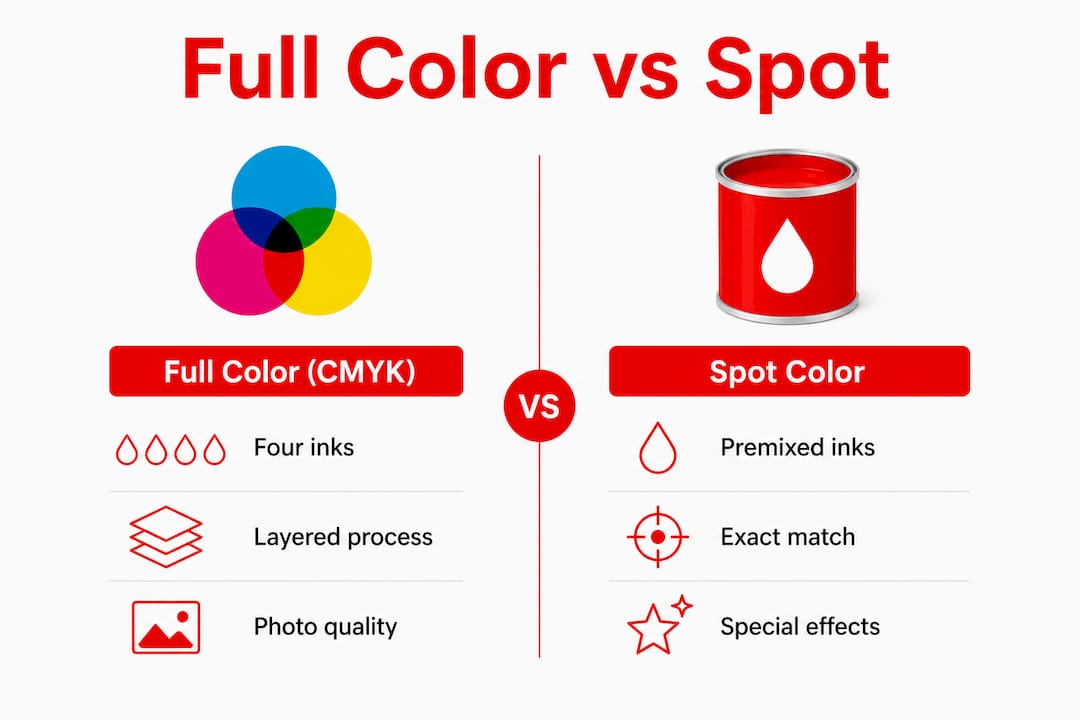
What are the benefits and typical uses of full color printing?
Full color printing excels with complex images like photos and gradients, making it the go-to method for most marketing and personal projects. It handles millions of color combinations from just four inks, which keeps production costs lower than ordering a separate ink for every color in your design.
Common uses for full color printing include:
- Marketing materials: Flyers, brochures, postcards, and banners all benefit from photographic quality and rich color gradients.
- Custom apparel: T-shirts, hoodies, and hats with detailed artwork or photographic prints require the full CMYK color range.
- Packaging: Product boxes and labels with brand photography or complex illustrations rely on CMYK printing.
- Personalized gifts: Tumblers, mugs, and promotional items with full-color artwork use this process for vivid results.
- Event materials: Programs, posters, and signage for schools, sports teams, and nonprofits all use full color printing for professional results.
The cost advantage becomes clear when your design has more than three or four colors. Spot color printing charges per ink color, so a six-color logo costs significantly more than a CMYK job that covers the same design. Full color printing charges a flat rate regardless of how many colors appear in your artwork. That makes it the practical choice for multi-color marketing projects and personalized items with detailed imagery.
What is the difference between full color and spot color printing?
Spot color printing uses premixed inks formulated to a specific color standard, most commonly the Pantone Matching System. Spot colors deliver exact color matches that CMYK cannot fully replicate, which is why brands with strict logo color requirements often specify Pantone colors. Full color CMYK printing approximates those colors by mixing four inks, and the result can shift slightly depending on press calibration, paper type, and humidity.
Pantone spot colors are also the only way to achieve neon, metallic, or fluorescent effects. CMYK inks cannot produce those finishes because the color gamut of four-ink printing has physical limits. If your brand requires a neon orange or a metallic gold, spot color is the correct choice.
| Feature | Full color (CMYK) | Spot color |
|---|---|---|
| Ink type | Four transparent process inks | Premixed single inks |
| Best for | Photos, gradients, complex artwork | Logos, exact brand colors |
| Color range | Wide but limited by ink gamut | Specific, including neon and metallic |
| Cost structure | Flat rate regardless of color count | Per ink color used |
| Color consistency | Can vary with press conditions | Highly consistent across runs |
Pro Tip: If your logo has a specific Pantone color and your design also includes a photo, ask your printer about hybrid jobs that combine spot and CMYK inks on the same piece.
Choosing between the two methods depends on design complexity and branding requirements. A simple two-color logo on a business card suits spot color well. A full-bleed photo on a hoodie needs CMYK.
How to prepare your artwork files for full color printing
Proper file setup prevents the most common printing problems. Follow these steps before submitting any artwork:
- Convert RGB to CMYK. Designing in CMYK from the start prevents color surprises. If your file is in RGB, convert it in Adobe Illustrator or Adobe InDesign before sending it to your printer.
- Set your resolution to 300 DPI. Screen images display at 72 DPI, which looks sharp on a monitor but prints blurry. Print files need 300 dots per inch for clean, sharp output.
- Use vector files where possible. Logos and text created in Adobe Illustrator as vector files scale to any size without losing quality. Raster images from Adobe Photoshop must be high resolution.
- Check for RGB elements. Placed images, embedded photos, and imported graphics can carry RGB color profiles even inside a CMYK document. Check each element individually.
- Request a proof before a large run. A printed proof shows you exactly how colors will look on the actual substrate. Uncalibrated monitors display RGB colors that can mislead you into expecting neon or highly saturated prints that CMYK cannot reproduce.
- Review your file with your print provider. Share your artwork early and ask for feedback. A good printer will flag color mode issues before production starts.
For a deeper look at file setup, the artwork prep guide from Handmadeohiocrafts covers CMYK conversion, resolution requirements, and bleed settings in detail. You can also find practical file submission guidance at IPD Jet Ski Graphics, which outlines what print-ready files need to include.
Key Takeaways
Full color printing uses the CMYK four-ink process to reproduce complex images, and proper file preparation in CMYK mode is the most critical step to getting accurate, professional results.
| Point | Details |
|---|---|
| CMYK is the standard | Full color printing uses cyan, magenta, yellow, and black inks to produce a full color range. |
| Halftoning creates tones | Microscopic dots of varying size simulate gradients and continuous tones in printed images. |
| RGB files must be converted | Submitting RGB files causes color shifts; always convert to CMYK before sending to your printer. |
| Spot color beats CMYK for logos | Exact brand colors, neon, and metallic effects require premixed spot inks, not CMYK. |
| Proofs prevent costly mistakes | Always request a printed proof before committing to a large production run. |
Why most printing problems are actually file problems
After working with hundreds of custom print orders, the pattern is clear: most color disappointments trace back to the file, not the press. Customers send a vibrant RGB design, see a duller print, and assume the printer made a mistake. The printer did not. The CMYK color gamut is simply narrower than what your screen shows.
The insight that changes everything is this: your monitor emits light, and your print absorbs it. Those are fundamentally different systems. A neon blue that glows on your laptop screen does not exist as a CMYK ink combination. No amount of press calibration will produce it. Understanding that gap before you design saves time, money, and frustration.
My advice for small businesses is to build a relationship with your print provider early. Share your brand colors, ask for a CMYK color profile, and test a small run before ordering 500 pieces. The printers who do great work are not gatekeeping information. They want your file to be right because it makes their job easier too. Clear communication about print quality standards before production starts is worth more than any last-minute fix.
Budget also plays a role. Full color CMYK printing is almost always the right call for complex designs, photos, and anything with gradients. Spot color is worth the premium only when brand color accuracy is non-negotiable. For most small businesses and personal projects, CMYK delivers excellent results at a price that makes sense.
— Aaron
Full color printing from Handmadeohiocrafts
Handmadeohiocrafts produces custom apparel and personalized products using full color printing methods, all designed and printed in-house in Waverly, Ohio. Every order benefits from direct file review, so color mode issues get caught before production, not after.
Whether you need custom t-shirts for a fundraiser, branded hoodies for your team, or personalized gifts with detailed artwork, Handmadeohiocrafts handles the full process from file prep to finished product. Browse the full range of custom apparel options to see what full color printing can do for your next project. No minimum order requirements and nationwide shipping make it easy to get started.
FAQ
What does full color printing mean in simple terms?
Full color printing means reproducing images using four inks: cyan, magenta, yellow, and black. These inks combine through a process called CMYK printing to create a wide range of colors from just four base inks.
Is full color printing the same as CMYK printing?
Yes. Full color printing and CMYK printing refer to the same process. CMYK is the industry term for the four-color printing method that produces full color images.
Why do my printed colors look different from my screen?
Screens use RGB, an additive light-based color model, while printers use CMYK, a subtractive ink-based model. RGB and CMYK have different color ranges, so colors that look vivid on screen can appear duller in print if the file is not converted correctly.
When should I use spot color instead of full color printing?
Use spot color when your design requires exact brand colors, neon effects, or metallic finishes. Spot colors use premixed inks that CMYK cannot replicate, making them the right choice for strict brand consistency.
Do I need to convert my file before sending it to a printer?
Yes. Always convert your file from RGB to CMYK before submitting it for print. Starting in CMYK mode in Adobe Illustrator or Adobe InDesign prevents color shifts and gives you an accurate preview of the final printed result.